System Capabilities

What Zelvryaxo Is Built to Do

Core Functions

Five Functions That Define the System

Zelvryaxo is designed around a specific set of functions. Each function addresses a distinct aspect of the information-organisation process, from how content enters the system to how users work with it.

Content Classification

The classification function determines where each piece of content belongs within the system. When new content is added to Zelvryaxo, it is assigned to a category based on its type, subject, or other defined attributes. This assignment is the foundation of the system's organisation.

Classification is not automatic in all cases. Some content is reviewed before its category assignment is confirmed, which helps to maintain the coherence of each section. Users who access a classified category can generally expect its contents to share a meaningful common attribute.

Category assignment Type sorting Attribute matching
Structured Review Interface

The review interface is the part of the system that users interact with directly. It presents the content within each category in a consistent, readable format. The layout is designed to allow users to move through a set of entries at their own pace without losing their position within the section.

Within the review interface, users can access the detail attached to any entry, navigate forward or backward through a set, and apply basic filtering where the section supports it. The interface does not modify the content it displays; it renders what the classification function has assigned to that section.

Entry display Section navigation Readable formatting

Guided Section Navigation

The guided navigation function helps users who are not yet familiar with the platform's structure to find relevant areas without browsing every section. It provides a pathway through the available categories based on the user's stated area of interest.

Guided navigation does not restrict where users can go. It is an optional starting point for those who prefer an oriented introduction to the platform rather than open-ended exploration. Users who prefer to navigate independently can do so through the standard section structure at any point.

Pathway guidance Oriented access Interest-based routing

Enquiry Management

The enquiry management function handles incoming messages submitted through the contact form. When a user submits a form, the message is received and categorised by type before being reviewed by the appropriate member of the support team.

This function also manages the communication side of access requests. If a user has requested access to a particular section, the enquiry management function tracks the status of that request and ensures that the relevant team member is notified. Users receive a response through the email address they provided at submission.

Message intake Request categorisation Response coordination

User Assistance

The user assistance function covers the support available to people who encounter difficulty when working with the platform. This includes guidance on how to navigate the interface, how to interpret the classification structure, and how to submit an enquiry if further help is needed.

Assistance is provided through the enquiry form and by email. The support team aims to give clear and accurate responses, but does not offer real-time live support. Users with straightforward navigation questions may find their answers in the platform documentation before needing to contact the team.

Navigation guidance Email support Documentation access
Working Through the System

A Typical Path Through Zelvryaxo

Most users follow a similar sequence when they first access the platform. The steps below describe a common path from initial access to completed review.

  1. Locate a Section

    Use the navigation structure to identify the category that contains the content you want to examine. Guided navigation is available if you are not sure where to begin.

  2. Review Available Entries

    Work through the content within the selected section at your own pace. Use available interface tools to filter or narrow the view if the section contains a large number of entries.

  3. Submit an Enquiry

    If you need access to a restricted section or require clarification on something you have reviewed, submit an enquiry through the contact form with the relevant details.

  4. Receive a Response

    The support team reviews your enquiry and sends a response to the email address you provided. The team may request additional information before responding fully.

Additional Context

What the Functions Do Not Cover

Zelvryaxo's functions are defined by what the system was built to do, and it is equally important to understand what falls outside those boundaries. The platform does not perform analysis, generate recommendations, or produce summaries of the content it organises.

It does not connect to external data sources, pull in information from third-party systems, or update its content automatically based on external events. The content available through the platform is the content that has been placed there, classified, and made available through the standard process.

If a function you expected to find is not described here, it is either not available through Zelvryaxo or is accessible only under specific access arrangements. The enquiry team can provide clarification if you are unsure.

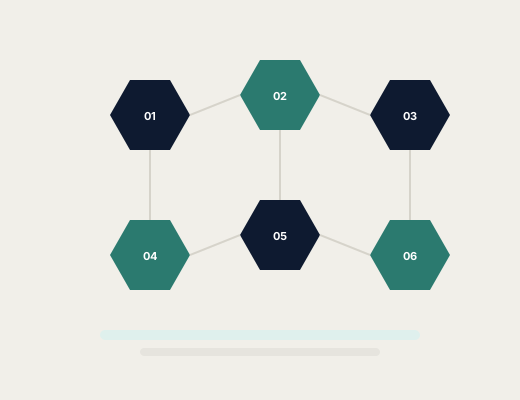
Abstract diagram of interconnected hexagonal platform functions for Zelvryaxo

Questions About Platform Functions?

The support team can clarify how specific functions work or help you understand whether Zelvryaxo suits your intended use.